<!DOCTYPE html>
<!-- AndromedaImage Example
     Source code file: index.html -->
<html lang="en">
    <head>
        <meta charset="UTF-8">
        <meta name="viewport"
            content="width=device-width, initial-scale=1.0">
        <title>Andromeda Image</title>
        <style>
        img { width: 300px; }
        </style>
        <script>
        function init( ) {
            var image1 = document.querySelector("img");
            image1.style.padding = "20px";
            image1.style.border = "10px solid red";
            image1.style.margin = "30px";
        }
        document.addEventListener("DOMContentLoaded", init);
        </script>
    </head>
    <body>
        <h1>Andromeda Image</h1>
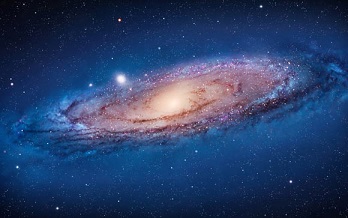
        <img src="images/andromeda.jpg">
    </body>
</html>
<body>
    <h2>Ordered List Example</h1>
</body>
Use JavaScript to create and append this ordered list to the body:
--------------------------------------------
<!DOCTYPE html>
<!-- OrderedList Example
     Source code file: index.html -->
<html lang="en">
    <head>
        <meta charset="UTF-8">
        <meta name="viewport"
            content="width=device-width, initial-scale=1.0">
        <title>Ordered List Example</title>
        <link rel="stylesheet" href="styles.css">
        <script src="script.js"></script>
    </head>
    <body>
        <h2>Ordered List Example</h1>
    </body>
</html>
--------------------------------------------
/* OrderedList Example
   Source code file: styles.css */
body { font: 100% Verdana, sans-serif; }
--------------------------------------------
// OrderedList Example
// Source code file: script.css
function init( ) {
    // cities array is source of content for ordered list.
    var cities = ["New York City", "Los Angeles", "Chicago"];

    // Create and add ordered list to body.
    var olObj = document.createElement("ol");
    var bodyObj = document.querySelector("body");
    bodyObj.appendChild(olObj);

    // Add cities to ordered list as list items.
    for(var c of cities) {
        var liObj = document.createElement("li");
        liObj.innerHTML = c;
        olObj.appendChild(liObj);
    }
}
// DOMContentLoaded files when DOM tree has been
// created and made available to the script.
document.addEventListener("DOMContentLoaded", init);
--------------------------------------------
<head>
    <script src="../jquery-4.0.0.js">
    </script>
    ... other script tags.
</head>
<head>
    <script src="https://ajax.googleapis.com/ajax/libs/jquery/4.0.0/jquery.min.js">
    </script>
    ... other script tags.
</head>
$(selector).action( );
// Hide all elements with node name p.
$("p").hide( );

// Change the value of the input
// controls with class="test" to "abc".
$(".test").val("abc");

// Change the inner html of the paragraph
// with id="p1" to "Hello, World!".
$("#p1").text("Hello, World!");
window.addEventListener("load", init);
is$(document).ready(init);or even shorter
$(init);
<!DOCTYPE html>
<html lang="en">
    <head>
        <script src="jquery-4.0.0.js">
        </script>
        <script src="myscript.js">
        </script>
        <link rel="stylesheet"
              href="styles.css">
    </head>

    <body>
        <h1>jQuery Examples -- Set 1</h1>
        <button id="btn1">Show Greeting</button>
        <p id="p1"></p>
    </body>
</html>
Test these two choices for myscript.js, then translate them into vanilla JavaScript.
// myscripta.js
$(document).ready( ( ) => {
    $("#p1").text("Hello World!");
});

// myscriptb.js
$(document).ready( ( ) => {
    ${"btn1").click( ( ) => {
        $("p1").text("Hello World!");
    });
});

// myscripta.java translated into
// vanilla JavaScript
document.addEventListener("DOMContentLoaded", ( ) => {
    document.querySelector("p").innerHTML =
        "Hello, World!";
});

// myscriptb.java translated into
// vanilla JavaScript
document.addEventListener("DOMContentLoaded", ( ) => {
    document.querySelector("btn1").
             addEventListener("click", ( ) => {
        document.querySelector("p").innerHTML =
            "Hello, World!";
    });
});
| jQuery | JavaScript |
|---|---|
| $("#p1") | document.querySelector("#p1"); document.getElementById("p1"); |
| $(".red") | document.querySelectorAll(".red"); document.getElementsByClassName("red"); |
| $("p") | document.querySelectorAll("p"); document.getElementsByTagName("p"); |
| $("ol ol") | document.querySelectorAll("ol
ol"); No equivalent document.getElements statement |
Look at some of the examples in the jQuery Tutorial:
www.w3schools.com/jquery/default.asp.
Translate these jQuery function calls from jQuery into vanilla JavaScript. Also, write the JavaScript functions in arrow notation.
$(function( ) {
    alert("Hello, World!");
}
or
$(( ) => {
    alert("Hello, World!");
});
$(function( ) {
    $("btn1").click(function( ) {
        alert("Hello, World!");
    });
});
or
$(( ) => {
    $("bt1").click(( ) => {
        alert("Hello, World!");
    });
});
$(function( ){
    $("p").dblclick(function( ){
        $(this).hide( );
    });
});
Translate it into vanilla JavaScript. Answer:
function eventHandler(e) {
    var para = e.target;
    para.style.display = "none";
}
function init( ) {
    var para = document.querySelectorAll("p");
    for(let node of para)) {
        node.addEventListener("dblclick",
            eventHandler);
    }
}
window.addEventListener("load", init);
Here is the script written with anonymous functions using arrow notation:
window.addEventListener("load", ( ) => {
    var para = document.querySelectorAll("p");
    for(let node of Array.from(para)) {
        node.addEventListener("dblclick", e => {
            var para = e.target;
            para.style.display = "none";
        });
    }
});
mouseenter  mouseleave  mousedown
mouseup  hover  focus  blur