- What is wrong with the beginning of this HTML file?
<!-- Stan Smith
     Project 3
     Feb 6, 2021 -->

<!DOCTYPE html>
<html lang="en">
....
Answer: The first line of the HTML page must be
<!DOCTYPE html>
Source code comments or other code should go after that. Here is what the beginning of the HTML file should look like:
<!DOCTYPE html>

<!-- Stan Smith
     Project 3
     Feb 6, 2021 -->

<html lang="en">
- How do you write a function in arrow notation? Convert this function to arrow notation:
function convert( ) {
    var input1 = document.getElementById("tf1");
    var cm = parseFloat(input1.value) * 2.54;
    var output1 = document.getElementById("para1");
    output1.innerHTML = `Length in cm: ${output1}`);
}

// Answer:
var convert = ( ) => {
    var input1 = document.getElementById("tf1");
    var cm = parseFloat(input1.value) * 2.54;
    var output1 = document.getElementById("para1");
    output1.innerHTML = `Length in cm: ${output1}`);
}
Pass the convert function to this statement as an anonymous function:
button1.addEventListener("click", convert);
Answer:
button1.addEventListener("click", ( ) => {
    var input1 = document.getElementById("tf1");
    var cm = parseFloat(input1.value) * 2.54;
    var output1 = document.getElementById("para1");
    output1.innerHTML = `Length in cm: ${output1}`);
});
- Write an HTML page with a button and a script file that changes the
background color of the document to red when the button is clicked.
Use anonymous functions in arrow notation.
Answer: Place a button in the body:
<button id="btn">Click Me</button>
You can also use this input tag:
<input type="button" id="btn" value="Click Me">
Then use this script.js file:
function changeColor( ) {
    var bodyObject = document.getElementById("b");
    bodyObject.style.backgroundColor = "red";
}
function init( ) {
    document.getElementById("btn").
        addEventListener("click", changeColor);
}
window.addEventListener("load", init);
The preceding lines can be written using anonymous methods for
init and changeColor:
window.addEventListener("load", ( ) => {
    var bodyObject = document.getElementById("btn");
    bodyObject.addEventListener("click", ( ) => {
        document.getElementById("btn")
            .bodyObject.style.backgroundColor = "red";
    });
});
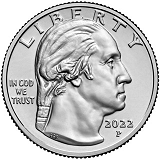
- In an <img> element in the body,
when the window is loaded or refreshed,
randomly display one of these images:
heads.png or tails.png. Answer:
<!DOCTYPE html>
<!-- Test Coin Flip Example:
     Source code file: test-coin-flip.html -->
<html lang="en">
    <head>
        <meta charset="UTF-8">
        <title>Test Coin Flip</title>
        <link rel="stylesheet" href="styles.css">
        <script src="script.js"></script>
    </head>
    <body>
        <h1>Test Coin Flip</h1>
        <img id="coin" alt="Random Heads or Tails">
    </body>
</html>
--------------------------------------------
/* Style file for CoinFlip Example
/
body { font-family: Verdana, sans-serif; }
img { width: 250px; height: 250px;
      background-color: gray; }
--------------------------------------------
// JavaScript Script File: script.js
// Uses anonymous arrow notation event handler
window.addEventListener("load", ( ) => {
    var image1 = document.getElementById("coin");
    var randomValue = Math.random( );
    if (randomValue >= 0.5) {
        image1.src = "images/heads.png";
    }
    else {
        image1.src = "images/tails.png";
    }
});
--------------------------------------------
- What is the difference between the Array methods
slice and splice? Look up these methods in W3Schools.
Try the methods out on this array:
var a = [34, 72, 19, 5, 90, 7];
Answer:
// Use the array defined above.
// Return the slice array from index 1 to index 5,
// where 1 is inclusive, but 5 is noninclusive
var b = a.slice(1, 5);
// Output:
72,19,5,90

// Change the a array by starting at index 2,
// deleting 3 items, and inserting 99, 98, 97.
a.splice(2, 3, 99, 97, 96);
document.writeln(a);
// Output:
34,72,99,98,97,90,7